
Attaching Documents
Summary
Before continuing, we recommend reviewing the Create a Bid Package (Basics) article, since attaching documents is a natural step inside that workflow.
You may also want to review the general uploading guide: Upload Files & Photos.
Attaching the right documents to your bid package gives bidders everything they need (plans, specs, site photos, addendums, etc.) to submit accurate, competitive bids—saving time and reducing change orders later.
How It Helps
Clear, complete bid packages lead to:
- Higher-quality bids
- Fewer back-and-forth questions
- Faster bid turnaround
- Less risk of surprises after award
How It Works
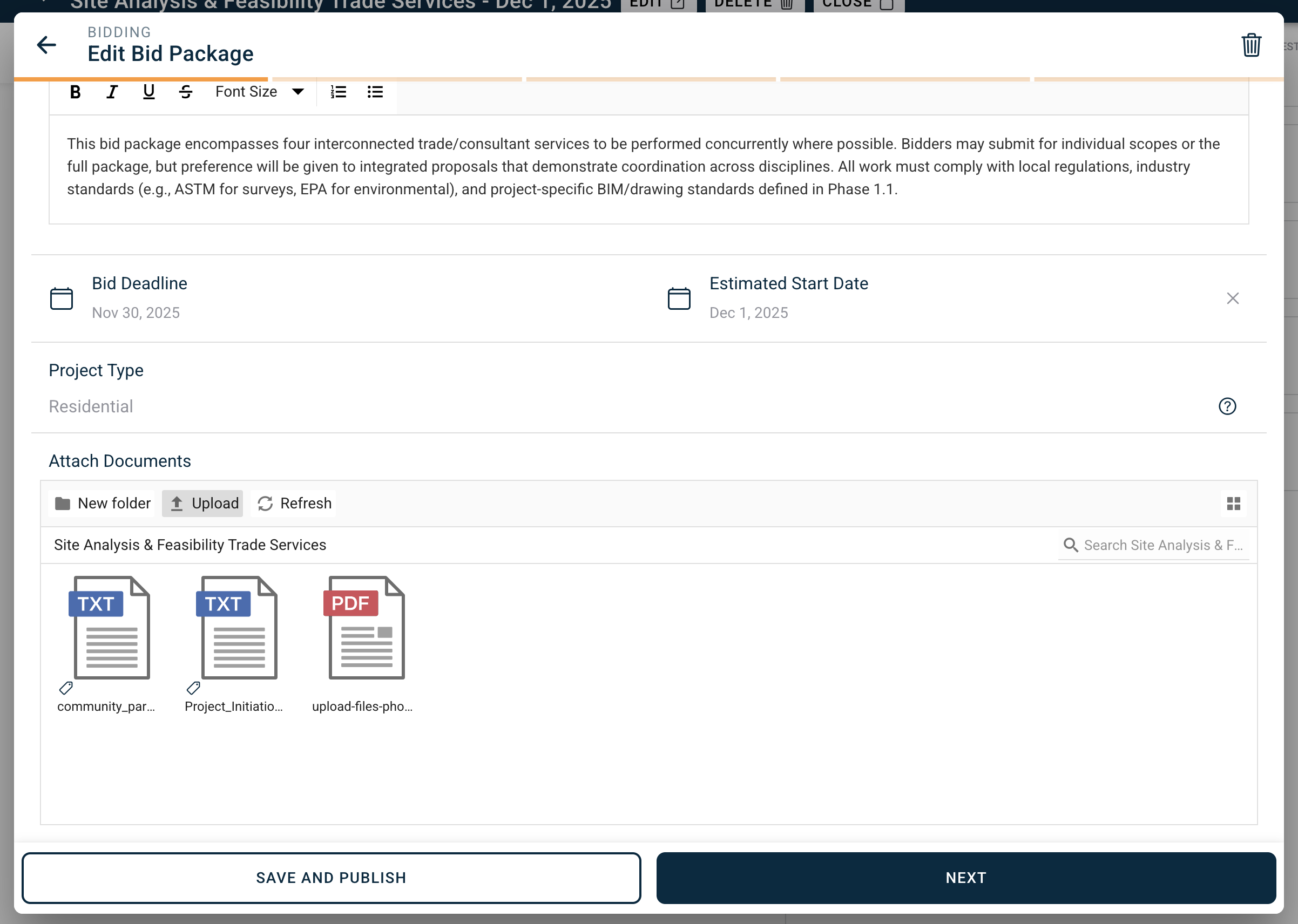
BuilderPal automatically pulls in every document that meets both conditions:
- It is uploaded to the current project’s Documents tab AND
- It is toggled Share with Bid Packages
These files instantly appear in the “Attach Documents” step when you create or edit a bid package.
You can also upload new files directly on that screen (via New Folder, Upload, or Refresh) if something is missing.
Subcontractors only see the files you attach here—nothing else from the project is visible until they are awarded.
Supported file types include PDF, images, spreadsheets, text files, CAD exports, and any standard construction document.
When to Use
Use this step every time you create or edit a bid package, especially when plans, specs, or site information are ready before inviting bidders.
FAQ
Why don’t some of my project documents appear in the Attach Documents section?
Only files that are both uploaded to the project and toggled Share with Bid Packages will appear. Check the toggle on the main Documents tab.
Can I add or remove documents after the bid package is published?
Yes. Edit the bid package anytime; updates are immediately visible to all invited bidders.
If I update a document later, do bidders see the new version?
Yes—the link always points to the current version in the project.
Can bidders download the attached files?
Yes, every attached document can be viewed and downloaded.