
Create your Estimate
Summary
This tutorial covers how to create and manage estimates in BuilderPal to plan project costs effectively. Accurate estimates help in budgeting, resource allocation, and ensuring project profitability.
Prerequisites
- An active BuilderPal account.
- An existing project or create a new one in BuilderPal.
- Access to the Site Office section.
Steps
-

Navigate to the Estimate section. Go to app.builderpal.com, create a new project or select an existing one (e.g., "Middleschool Staircase Renovation"), then click Site Office followed by Estimate.
-

Edit the estimate name. Click the edit icon in the "Selected Estimate" card, enter the desired name (e.g., "Estimate Draft"), and click Save.
-

Create a new estimate if needed. Click Change at the top, select Create, enter the name (e.g., "Estimate For The Future"), click Save, then click Select Estimate to switch to it.
-

Add a cost item. Click Add Cost Item, select a cost code (e.g., "Carpentry"), and click Next.
-

Enter cost item details. Provide the title (e.g., "Carpenter Tools"), amount (e.g., "$1000"), markup amount (e.g., "15%"), and other relevant fields, then click Save.
-
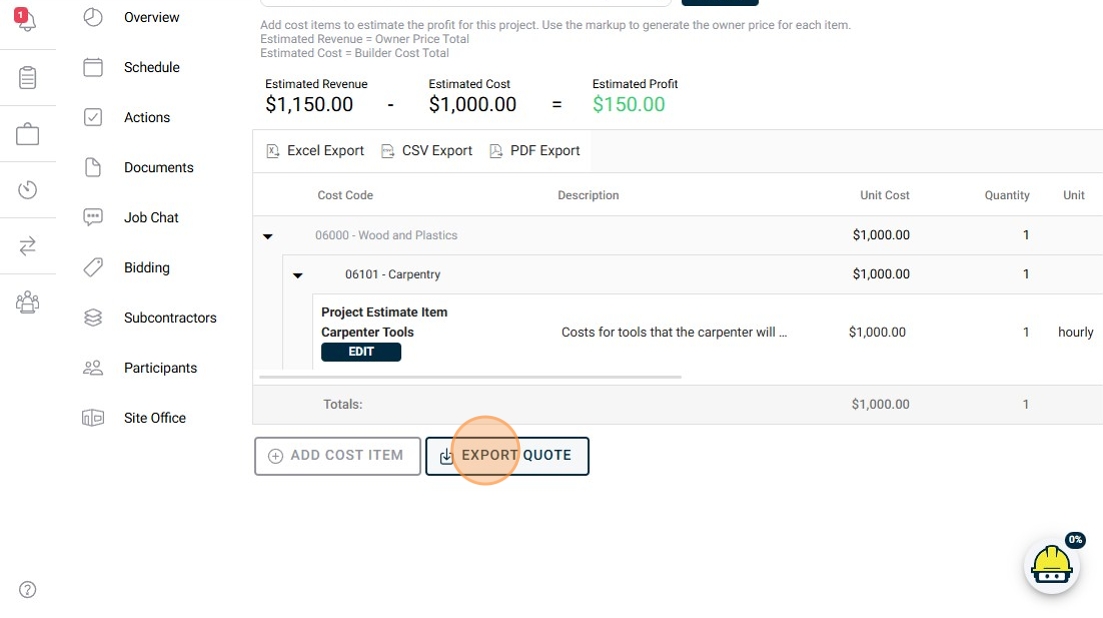
Export the quote. Once all items are added, click Export Quote to generate a document listing your estimate items.
FAQ
What if I can't find the Estimate section? Ensure you're in the Site Office view within a project. If it's missing, check your role permissions or contact support.
Can I add custom cost codes? Yes, you can import or create custom cost codes during the "Add Cost Item" process if the desired code isn't listed.
How do I delete an estimate item? Navigate to the estimate, select the item, and use the delete option in the edit menu.
What happens if I change the markup type? Switching between percentage and fixed amount will recalculate the total cost automatically based on the new markup.
Is there a limit to the number of estimates per project? No, you can create multiple estimates for comparison or different scenarios within the same project.
Related Articles
Metadata
Relevant Roles: Builder, Owner Feature Area: Estimating Article Type: Workflow / Tutorial