
Add Requirements for Your Bid Package
Summary
Requirements let you define the qualifications, documents, or standards subcontractors must meet (or claim to meet) before bidding on your bid packages. They appear to subcontractors during the “Request to Bid” process so they can self-certify what they already comply with—helping you pre-filter bidders without blocking anyone from applying.
Subcontractors can still request to bid even if they don’t check every box. Requirements are informational and help you vet faster.
How-To Video
How It Helps
- Clearly communicate expectations upfront
- Collect safety, insurance, licensing, or other compliance docs earlier
- Reduce back-and-forth during bid review
- Let bidders self-identify qualifications so you can prioritize strong fits
- Keep internal team notes private while sharing only what bidders need to see
How It Works
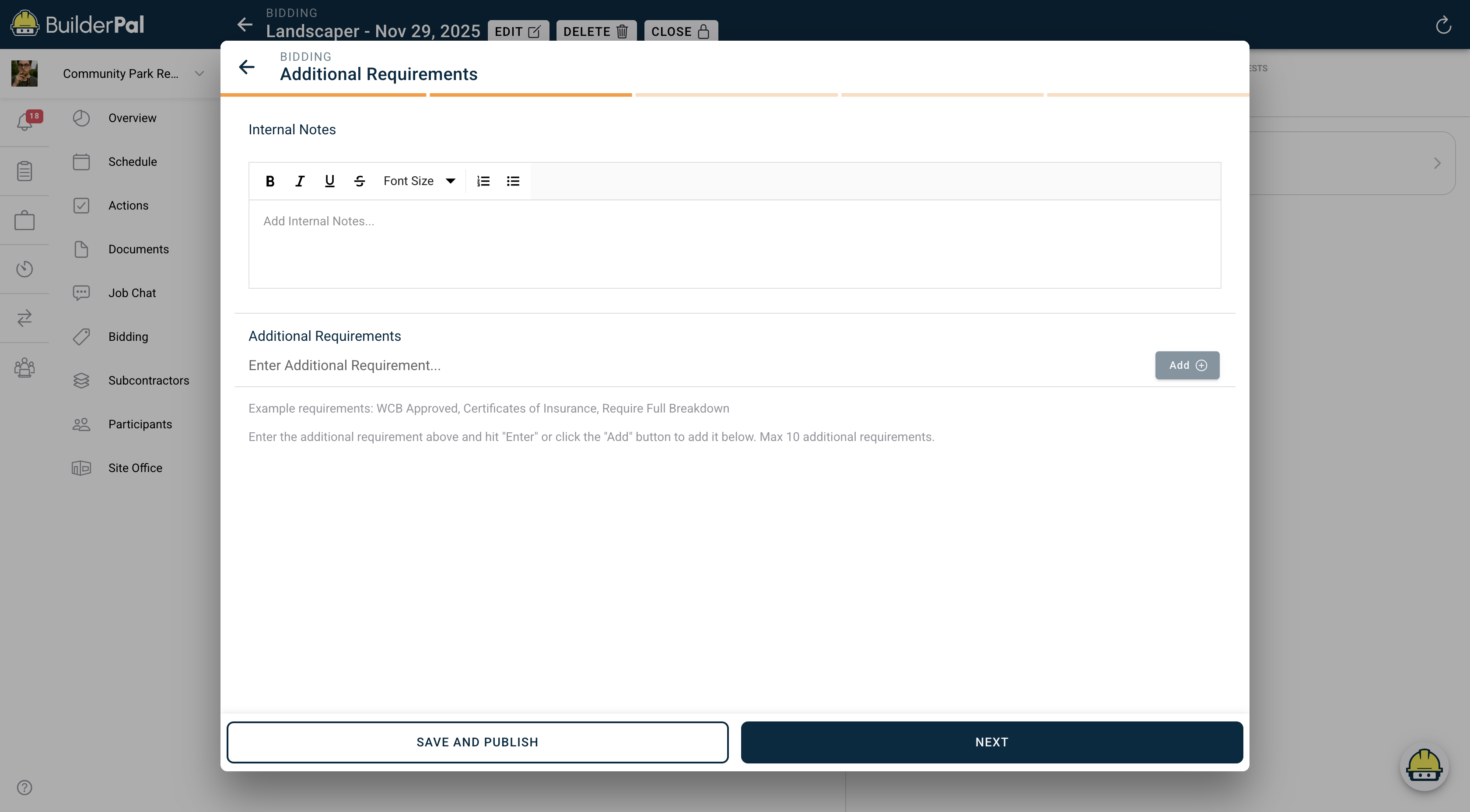 When creating or editing a bid package you’ll see an Additional Requirements step. There are two sections:
- Internal Notes – visible only to your team (great for reminders or manual verification notes)
- Additional Requirements – visible to subcontractors (check-box list they tick during Request to Bid)
You can add up to 10 public requirements. Each one becomes a checkbox on the subcontractor’s Request to Bid screen. When they submit, you’ll see exactly which requirements they marked as met in the Bid Requests tab.
When to Use
Use requirements on any time you want to:
- Pre-qualify trades (insurance, WCB/WSIB, safety programs, licenses, etc.)
- Require specific documents be uploaded with the bid request
- Signal serious bidders vs. tire-kickers
- Streamline approvals on larger or higher-risk projects
For small, low-risk jobs you can skip them entirely.
FAQ
Can a subcontractor still request to bid if they don’t meet all requirements?
Yes. They can submit even with zero boxes checked. Requirements do not block submissions.
Are internal notes visible to subcontractors?
No. Internal notes are private to your team only.
How many requirements can I add?
Maximum of 10 per bid package.
Can I edit requirements after the bid package is published?
Yes. Changes apply immediately and will show on new bid requests (existing requests keep the version they saw at submission time).