
TEST: How to Edit Articles on docs.builderpal.com
How to Edit Articles on docs.builderpal.com
Summary This tutorial covers how to edit existing articles and pages in the BuilderPal documentation site at docs.builderpal.com. Admins and authorized team members can update titles, summaries, steps, images, and other content to keep help articles accurate and useful for contractors and team members.
Prerequisites
- You must have edit permissions (usually Admin GC, Team Project Manager, or Team Business Manager roles).
- Be logged in to docs.builderpal.com with your authorized BuilderPal account.
- Know the article you want to change (via URL, search, or category).
Steps
-
Navigate to the article. Go to https://docs.builderpal.com/ and find the page you want to edit. Use the search bar, browse categories, or go straight to the URL (example: /books/hire-trades-manage-bids/page/create-a-bid-package-basics).
Screenshot: Finding and opening an article (Insert screenshot here showing the docs homepage with search bar, categories, or direct URL in browser)
-
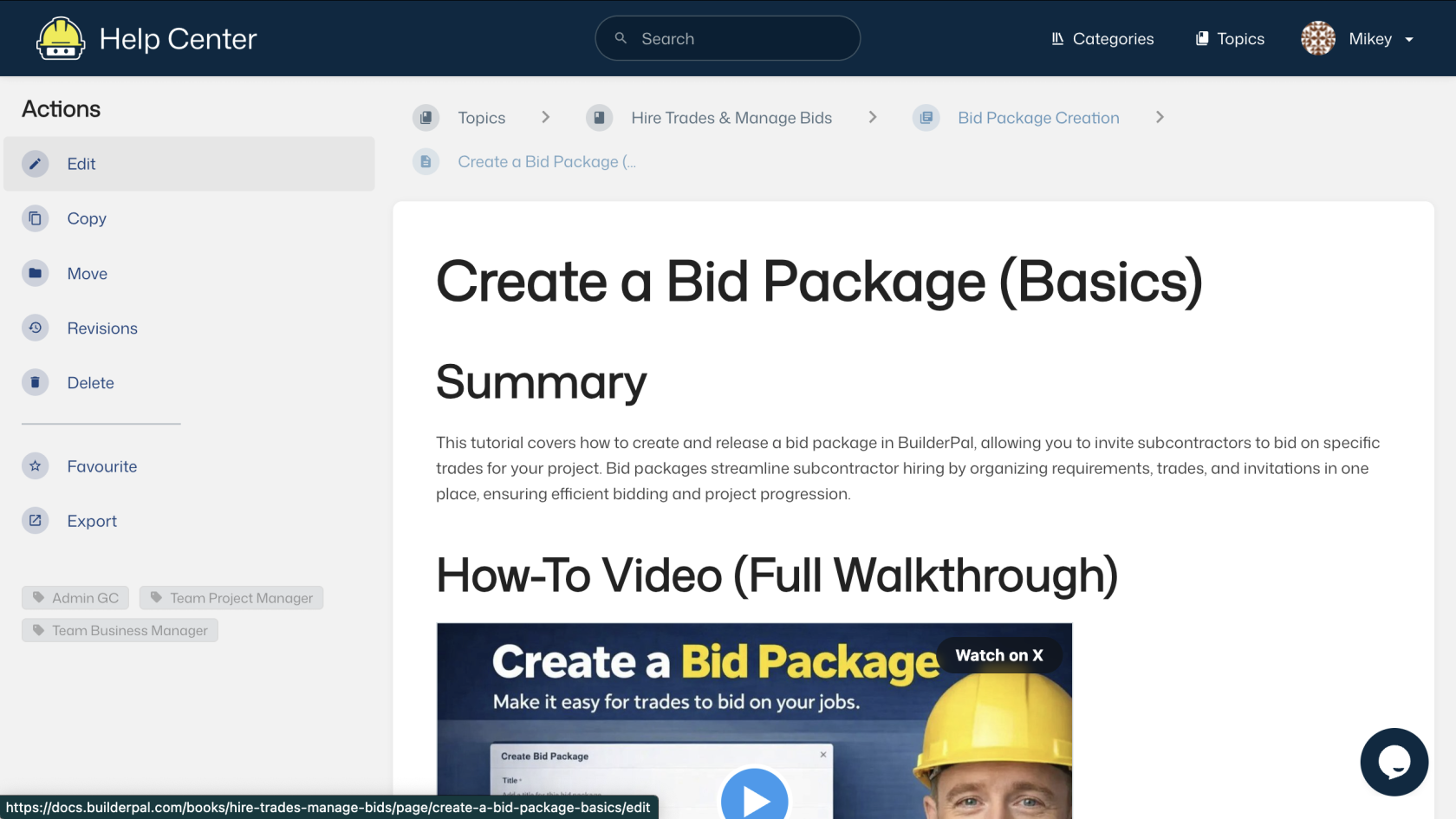
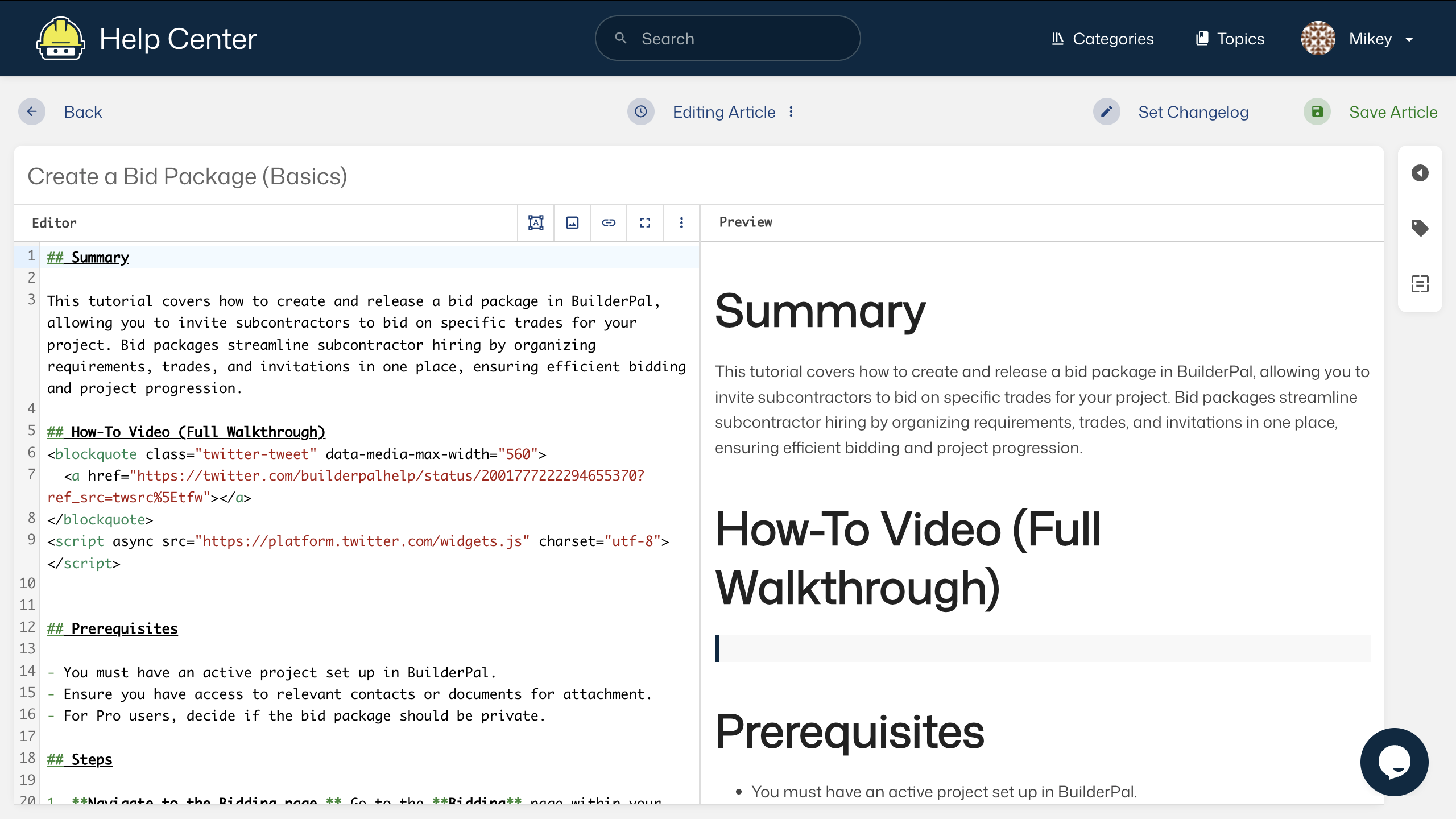
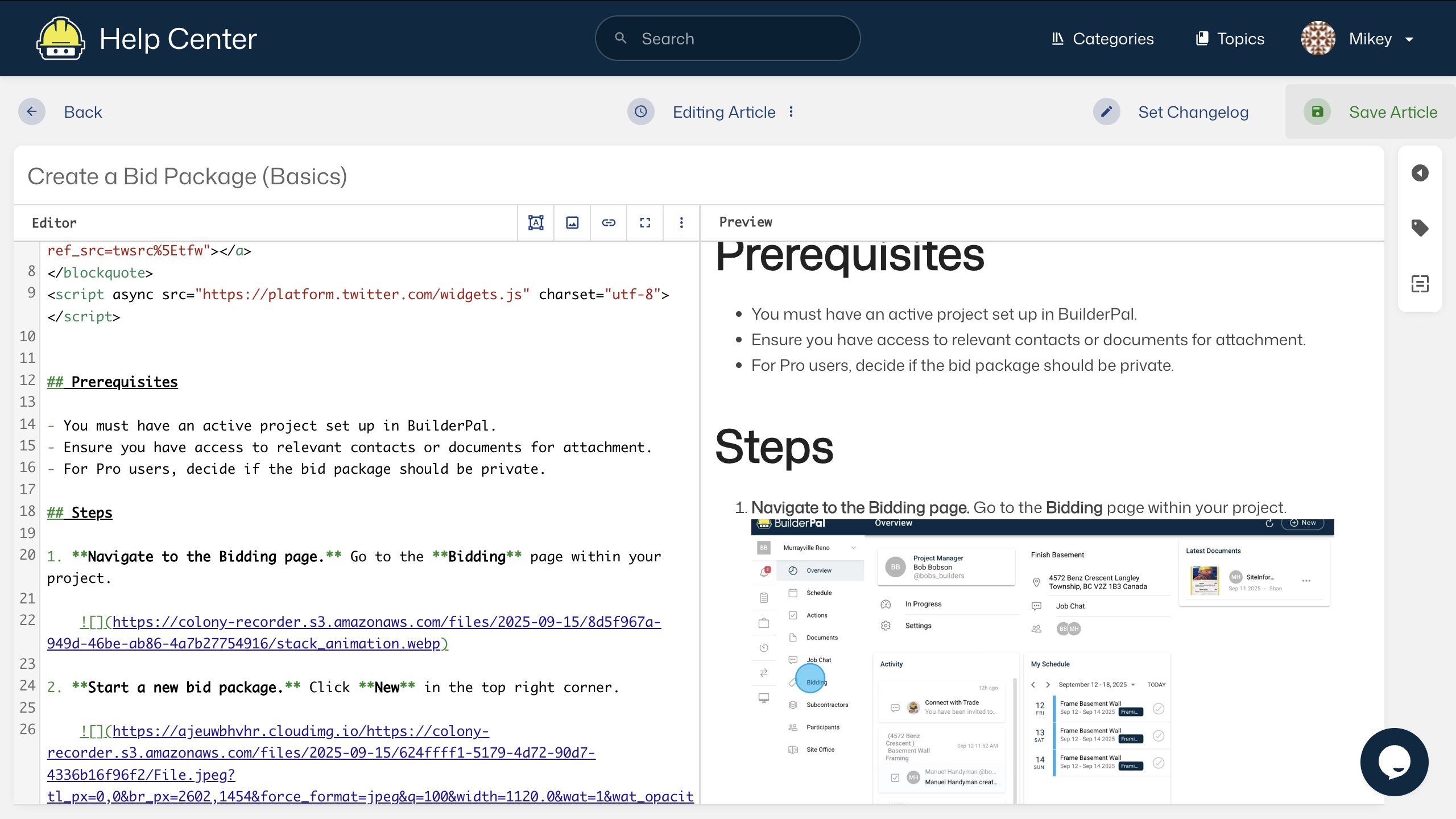
Enter edit mode. On the article page, look in the left sidebar. If you have permission, you will see the Edit button. Click Edit — the page will switch to edit mode
-
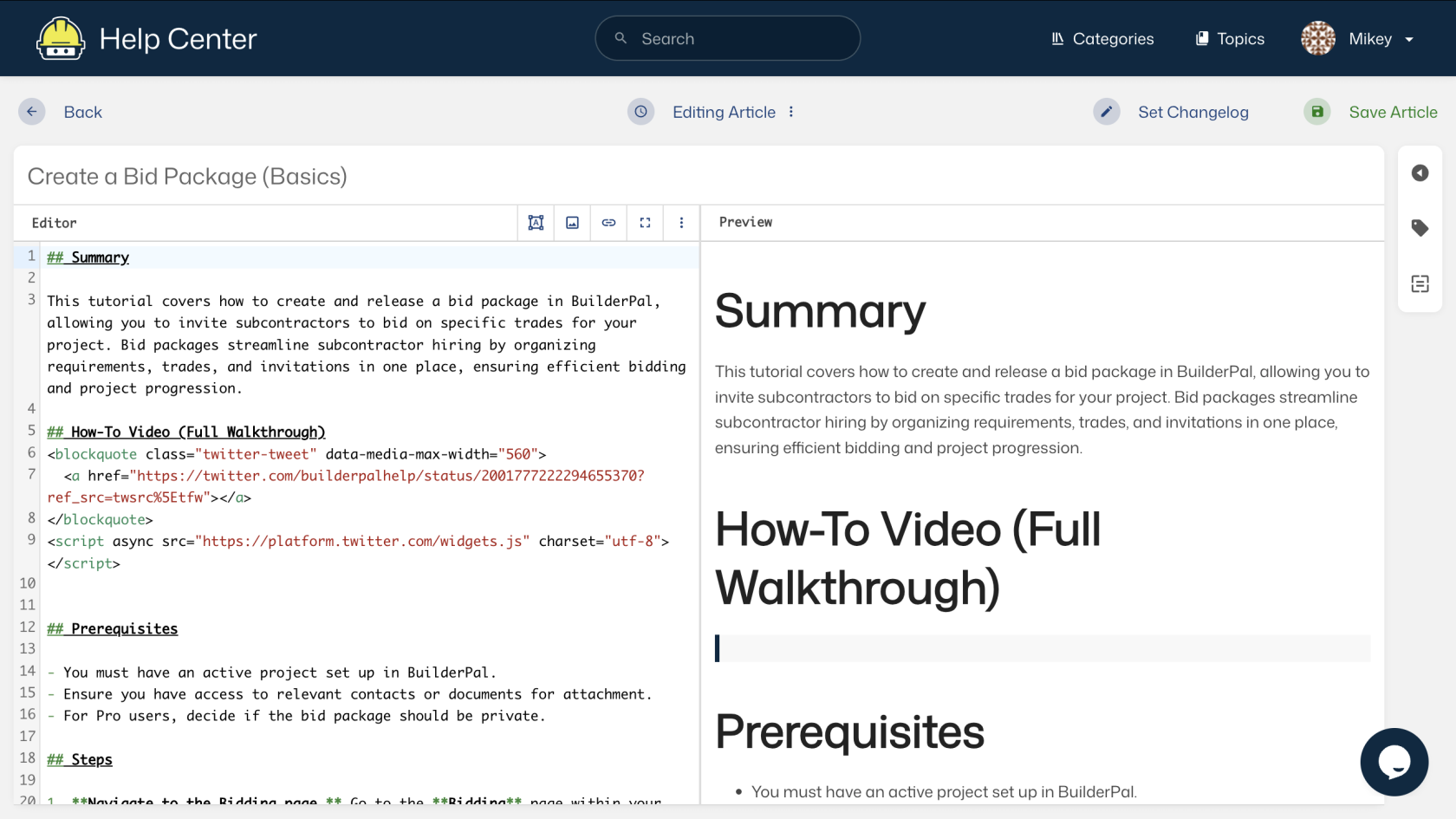
Make your changes. In edit mode you can update:
- The main Title at the top
- The Summary paragraph
- All content sections (headings, steps, text, bold items, lists, images, video embeds, links) Use the left sidebar tools to manage the page:
- Copy – Make a duplicate
- Move – Change location
- Revisions – See old versions and restore if needed
- Delete – Remove the article (be careful)
- Favourite – Save for quick access
- Export – Download the content
-
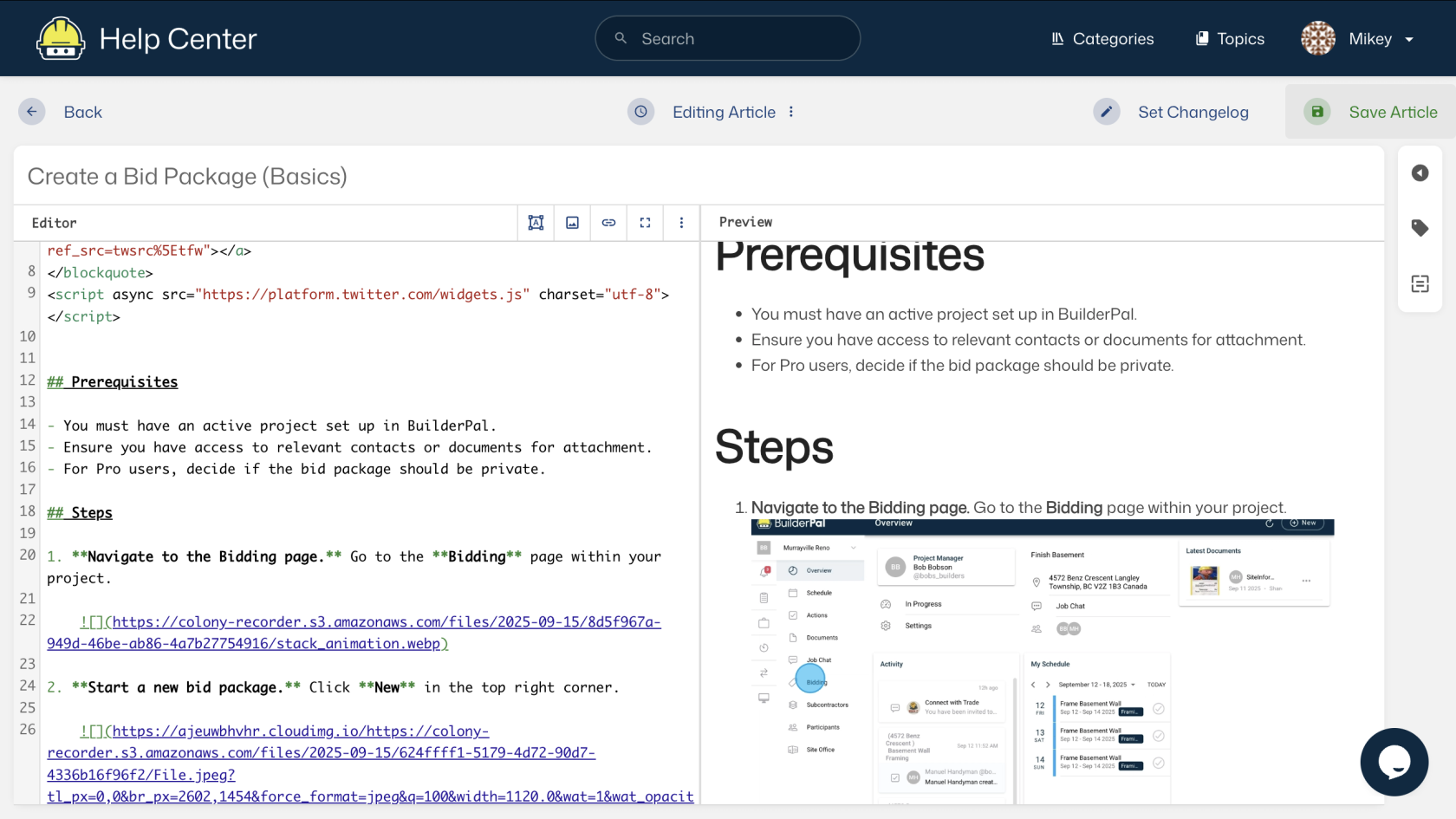
Save your changes. When finished, click the Save, Update, or Publish button (usually at the top or bottom). The changes go live right away.
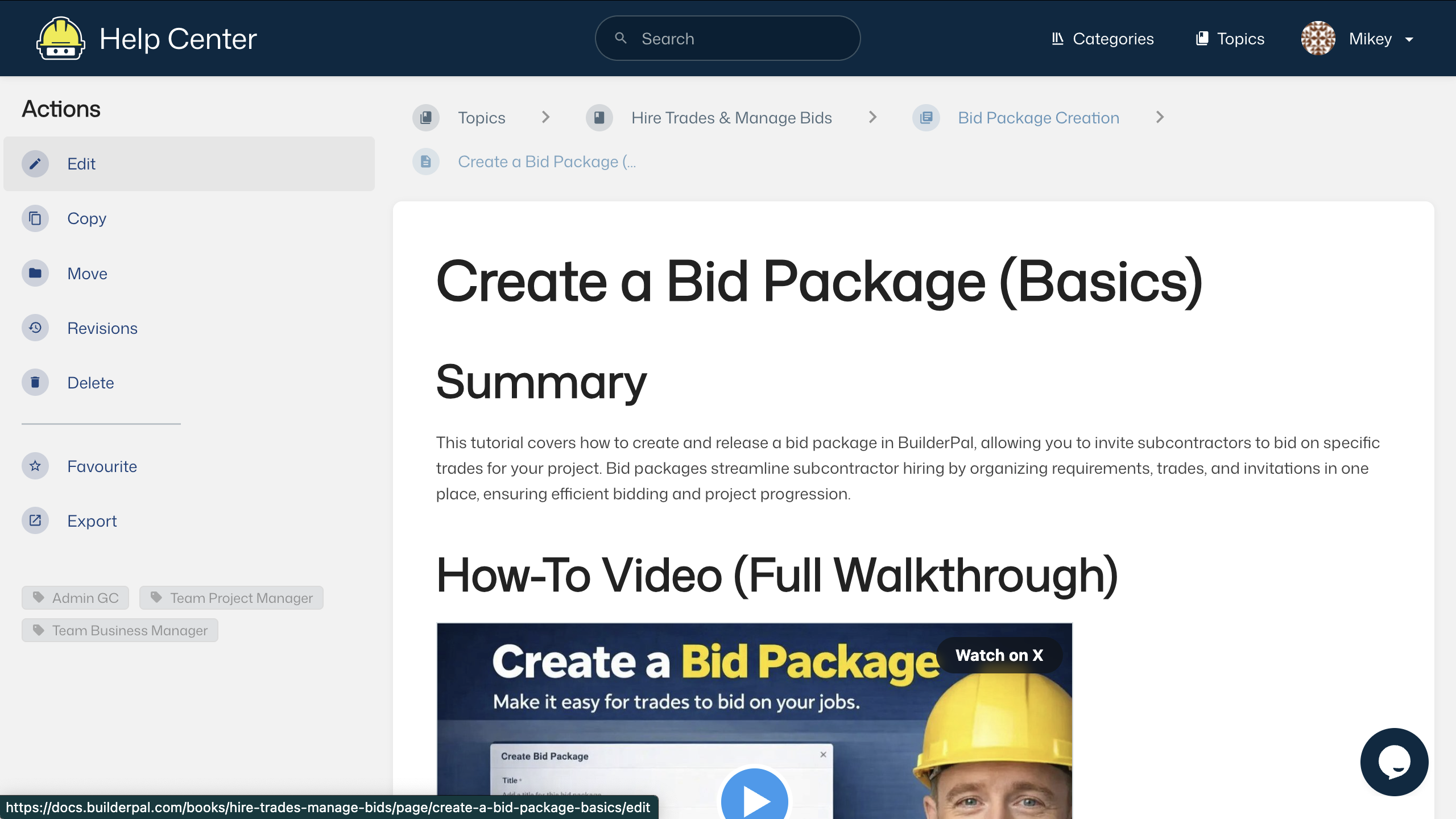
Confirmation Refresh the page after saving to make sure your updates show up correctly. The article is now updated for everyone on your BuilderPal team and subcontractors.
FAQ
What if I don't see the Edit button? You need the right permissions. Contact your team admin (Admin GC) to get access added to your BuilderPal account.
Can I undo a mistake after saving? Yes. Use the Revisions option in the sidebar to look at previous versions and go back to an older one.
How do I add or update images and screenshots? In edit mode, use the image upload tool in the content editor to add new screenshots. Place them right after the step they relate to for clear visual help.